
Your playlist.
Beautifully on your TV.
قائمة التشغيل بتاعتك
بشكل أجمل على التلفزيون.
OneTowns is a fast, clean media player built for the TV remote. Add your own playlist and enjoy your favorite programs on LG, Samsung and Android TVs.
OneTowns مشغل وسائط سريع وبسيط معمول للريموت. أضف قائمة التشغيل الخاصة بك واستمتع ببرامجك المفضلة على تلفزيونات LG وسامسونج وأندرويد.
OneTowns is a player only. It does not provide or include any content or playlists.OneTowns مشغل فقط، ولا يقدم ولا يحتوي على أي محتوى أو قوائم تشغيل.
Everything a great TV player needs
كل اللي محتاجه في مشغل التلفزيون
Designed from the ground up for the big screen and the remote control.
مصمم من الأول للشاشة الكبيرة والريموت.
Your own playlists
قوائم التشغيل الخاصة بك
Add and manage your playlists from the TV or from your phone in seconds.
أضف وأدِر قوائم التشغيل من التلفزيون أو من موبايلك في ثواني.
Fast and smooth
سريع وسلس
Opens quickly and moves smoothly, even on large playlists.
بيفتح بسرعة وبيتحرك بسلاسة حتى مع القوائم الكبيرة.
Continue watching
كمّل من مكان ما وقفت
Pick up exactly where you stopped, with recently played always at hand.
ارجع لنفس اللحظة اللي وقفت عندها، وآخر ما شاهدته دايمًا قدامك.
Favorites and groups
المفضلة والمجموعات
Create favorite groups and keep what you love one click away.
اعمل مجموعات مفضلة وخلّي اللي بتحبه على بعد ضغطة.
Quick search
بحث سريع
Find any item in your playlist in a moment.
لاقي أي حاجة في قائمة التشغيل في لحظة.
Made for the remote
معمول للريموت
Works with the standard remote and LG Magic Remote, in Arabic and English.
يشتغل بالريموت العادي وريموت LG Magic، بالعربي والإنجليزي.
Ready in three steps
جاهز في 3 خطوات
Install the app
نزّل التطبيق
Find OneTowns in your TV's app store and open it.
دوّر على OneTowns في متجر تطبيقات التلفزيون وافتحه.
Note your device code
خد كود جهازك
The app shows your device MAC address on the first screen.
التطبيق بيعرض عنوان MAC الخاص بجهازك في أول شاشة.
Add your playlist
أضف قائمة التشغيل
Add your own playlist on my.onetowns.net or in the app, and enjoy.
أضف قائمة التشغيل الخاصة بك من my.onetowns.net أو من التطبيق، واستمتع.
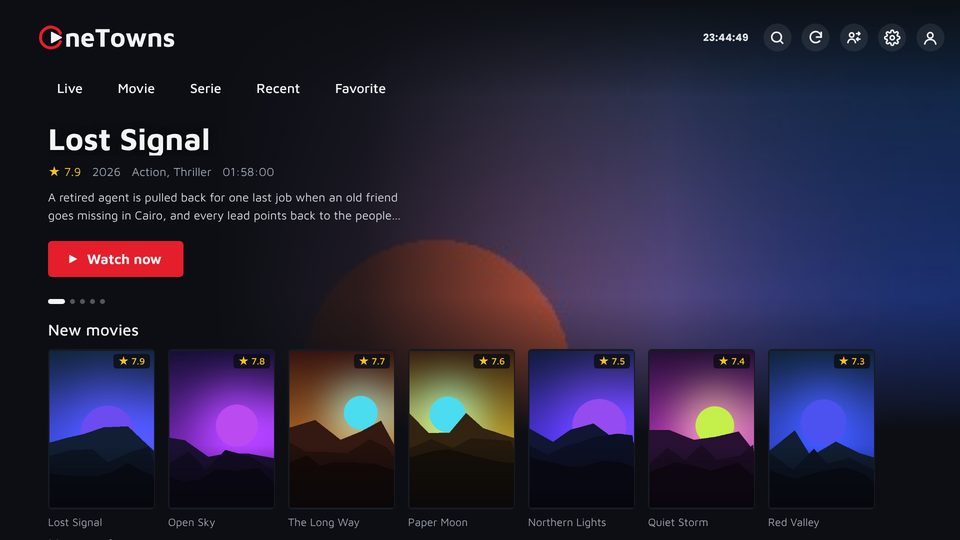
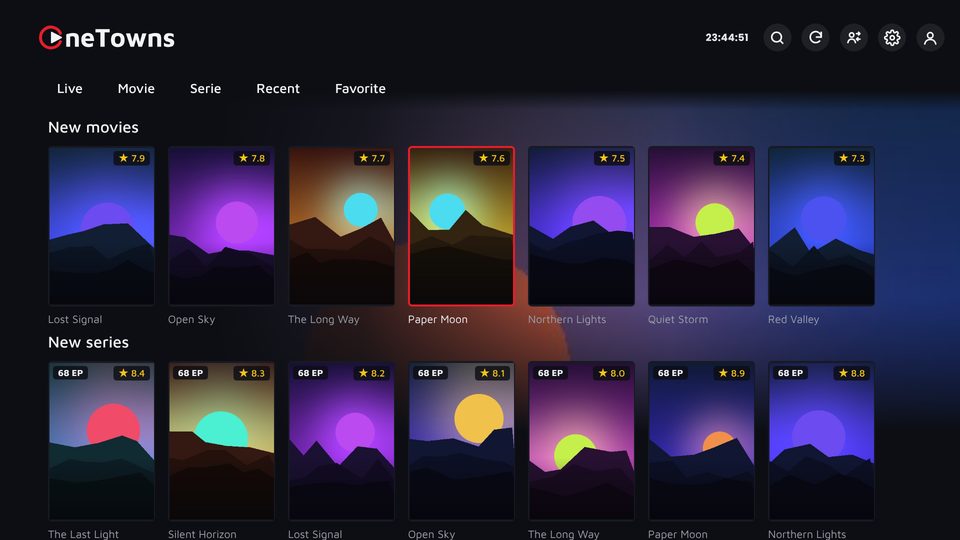
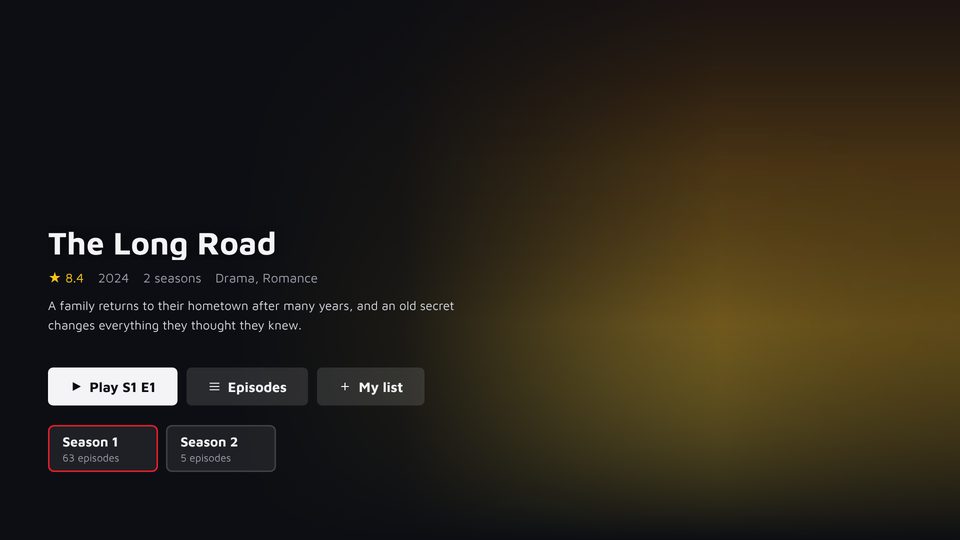
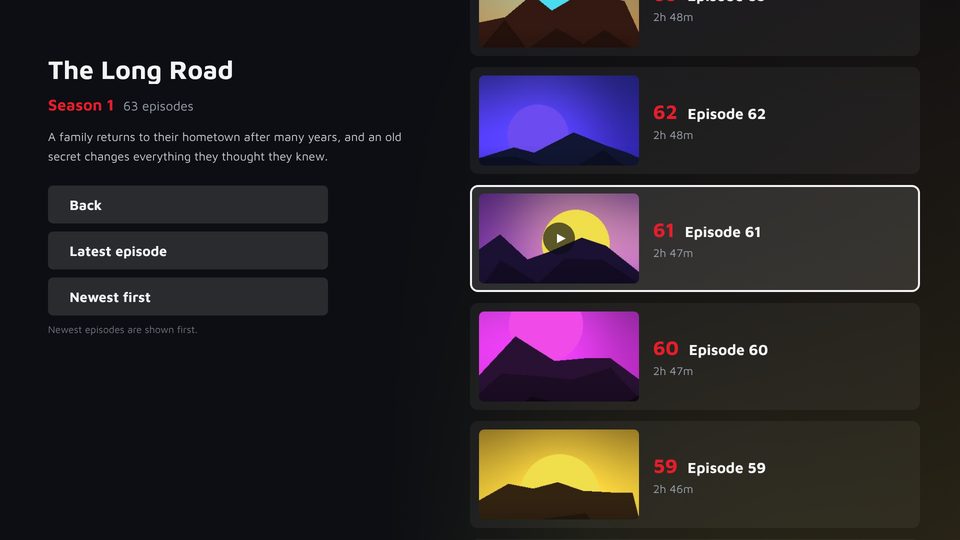
A clean, modern interface
واجهة حديثة وواضحة
Images shown with sample content.
الصور معروضة بمحتوى تجريبي.
Get OneTowns on your TV
نزّل OneTowns على تلفزيونك
Free to try. After the trial, the app needs to be activated.
مجاني للتجربة، وبعد فترة التجربة يحتاج التطبيق إلى تفعيل.
Open the Samsung Apps store on your TV and search for OneTowns.
افتح متجر Samsung Apps على التلفزيون ودوّر على OneTowns.
OneTowns is coming to the LG Content Store.
OneTowns قريبًا على متجر LG Content Store.
For Android TVs and TV boxes.
لتلفزيونات وأجهزة أندرويد.
Become a OneTowns reseller
انضم لموزّعي OneTowns
Activate devices for your customers, manage your balance and sub-resellers from one clear panel.
فعّل أجهزة عملائك، وتابع رصيدك والموزّعين الفرعيين من لوحة واحدة واضحة.
Questions and answers
أسئلة وإجابات
Does OneTowns provide channels or content?
No. OneTowns is a media player only. It does not provide or include any content, channels or playlists. You add your own playlist with content you have the legal right to watch.
How do I add my playlist?
Open the app to see your device MAC address, then add your playlist on my.onetowns.net or directly in the app.
Is it free?
OneTowns is free to try. After the trial period, the app needs to be activated for your device.
Which TVs are supported?
Samsung Smart TVs (Tizen) and LG Smart TVs (webOS). Android TV is coming soon.
How do I contact support?
Email us at onetowns121@gmail.com and include your device MAC address.
هل OneTowns بيقدم قنوات أو محتوى؟
لا. OneTowns مشغل وسائط فقط، ولا يقدم ولا يحتوي على أي محتوى أو قنوات أو قوائم تشغيل. أنت تضيف قائمة التشغيل الخاصة بك بمحتوى تملك الحق القانوني في مشاهدته.
أضيف قائمة التشغيل إزاي؟
افتح التطبيق وخد عنوان MAC الخاص بجهازك، وبعدين أضف قائمة التشغيل من my.onetowns.net أو من التطبيق نفسه.
هل التطبيق مجاني؟
التطبيق مجاني للتجربة، وبعد فترة التجربة يحتاج إلى تفعيل لجهازك.
بيشتغل على أنهي تلفزيونات؟
تلفزيونات سامسونج (Tizen) وتلفزيونات LG (webOS)، وأندرويد قريبًا.
أتواصل مع الدعم إزاي؟
راسلنا على onetowns121@gmail.com واكتب عنوان MAC الخاص بجهازك.